

Webflow Review (2026): Is It the Right Website Builder for Your Business?
Looking for a flexible website builder in 2026? Our Webflow review covers features, pricing, ecommerce support, dropshipping options, and suitability for designers, solo entrepreneurs, and small businesses helping you decide if it’s worth it and who should (and shouldn’t) use it before you decide.
REVIEW
3/2/20263 min read
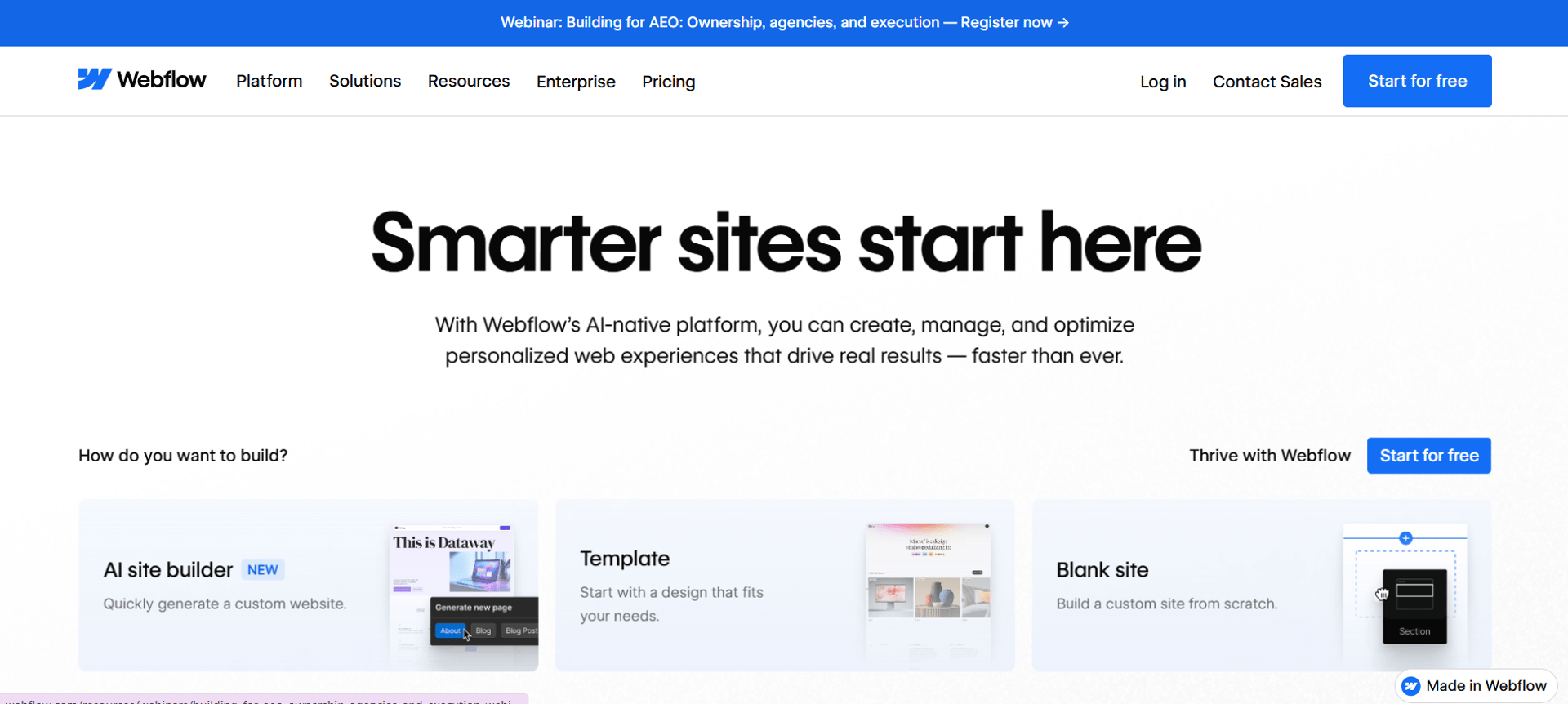
Webflow has carved out a unique space in the market as a powerful visual web development platform that generates clean production-ready code combining design freedom with no-code ease of use. It’s widely used by designers, startups, content creators, and brands that want pixel-perfect control over their websites.
But here’s the real question:
Is Webflow in 2026 a good choice for an ecommerce store or dropshipping business or is it better for solo projects and custom brand sites?
In this review, we’ll break down and by the end, you’ll know if it’s the right choice for your project.
Webflow is a powerful website builder praised for its visual design flexibility and clean code output, users appreciate its control, scalability, and suitability for designers and agencies.
Continue reading for in-depth review, plus helpful comparisons with other leading ecommerce solutions.
Webflow does support ecommerce you can build product pages, manage inventory, and accept payments via Stripe or PayPal. You also get control over the design of your product listings, checkout pages, and cart something many ecommerce builders don’t let you fully customize.
However, Webflow’s ecommerce features are limited compared to purpose-built store builders. Here’s how it stacks up:
🛒 Ecommerce Strengths
Full design control (no theme constraints)
Fast hosting & clean, responsive code
Built-in content management system (CMS) that ties product pages to dynamic content and SEO options
Custom checkout and cart layouts
⚠️ Ecommerce Limitations
Only Stripe and PayPal supported as payment gateways fewer options than most dedicated ecommerce platforms.
No built-in abandoned cart recovery or advanced conversion tools without third-party plugins.
Product and sales limits depending on your ecommerce plan (e.g., caps on SKUs and revenue tiers).
No native point-of-sale (POS) or advanced retail features.
Many advanced ecommerce workflows (subscriptions, customer accounts, wish lists, upsells) require external tools or custom development.
So, if you’re planning a massive store with thousands of products, multi-currency support, or a full suite of ecommerce automations, Webflow will likely feel constrained compared to platforms like Shopify or BigCommerce.
That said, for visual brands with small-to-medium catalogs focused on design and storytelling, Webflow’s ecommerce still delivers functional, visually distinct storefronts.
Webflow for Ecommerce: What It Can (and Can’t) Do
Webflow for Dropshipping
Webflow’s native dropshipping support is minimal. It doesn’t offer built-in dropshipping automation like Shopify’s ecosystem, and integration options are far more limited the most common being basic support via third-party services like Printful or Zapier workflows.
Unlike platforms with dedicated dropshipping marketplaces and apps:
Syncing inventory & orders isn’t fully automated
No native apps for importing & managing AliExpress or Spocket products
You’ll likely rely on external tools and custom setups
If dropshipping is your primary business model, Webflow can work but only with extra setup and tools. For many entrepreneurs, simpler solutions like Shopify or Wix (with integrated dropshipping plugins) are easier out of the box.
Webflow for Solo or Business and Custom Projects
This is where Webflow truly shines.
If you’re:
A solo entrepreneur with strong design requirements
Building a standout brand site or portfolio
Creating a content-driven ecommerce experience
Selling a boutique range of products
Prioritizing SEO and site performance
Webflow gives you unmatched creative control. Its visual designer feels more like professional design software than a simple site builder, and the CMS lets you tie dynamic content and product pages together beautifully.
That customization comes at a price: the learning curve here is steeper than platforms like Wix or Squarespace, and beginners without any design or web experience may struggle at first.
Pros and Cons of Using Webflow
Pros:
Pixel-perfect design control — unmatched customization without code
Built-in CMS & SEO tools — powerful for content-rich brands
Responsive and fast — clean code and reliable hosting included
No plugin bloat — less maintenance than plugin-based builders
Great for designers, agencies & custom sites
Cons:
Steep learning curve compared to beginner builders like Wix and Squarespace
Ecommerce features lag competitors — missing key tools without third parties
Limited payment gateways and sales features
Pricing can add up if you layer many external tools or apps
Not ideal for large catalogs or complex stores
Who Webflow Is Best For
Entrepreneurs who want total design control for unique stores
Brands where content and storytelling matter as much as products
Solo designers, portfolio sites, agency builds
Small to medium ecommerce stores without heavy automation needs
Who Should Avoid Webflow
Beginners who want an easy, plug-and-play ecommerce setup
Dropshippers relying on extensive app marketplaces
Businesses that need advanced store automation (multi-currency, POS, subscriptions)
High-volume stores with thousands of products
Is Webflow Worth It in 2026?
Webflow isn’t the best all-around ecommerce platform, but it can be a brilliant choice if your priorities are design, performance, SEO, and content-commerce experiences.
For designers and creative brands: Absolutely worth exploring.
For solo entrepreneurs with unique vision: Strong contender.
For basic or boutique stores: Works well.
For large-scale ecommerce or dropshipping: Consider Shopify or other dedicated solutions first.
In short: Webflow is worth it if creative control and brand experience matter more than built-in ecommerce automation.
Visit www.webflow.com
Found this useful? Drop a review or share your suggestions here, we’d love to hear from you. !!
Want to see how Webflow stacks up against other options? Check out Top 10 Website Builders for Beginners in 2026 and Top 5 Best Ecommerce Platforms and to compare features, pricing, and usability before making a decision.
Latest Reviews
Subscribe to our newsletter
You can unsubscribe anytime
Contact
© 2025. All rights reserved.